
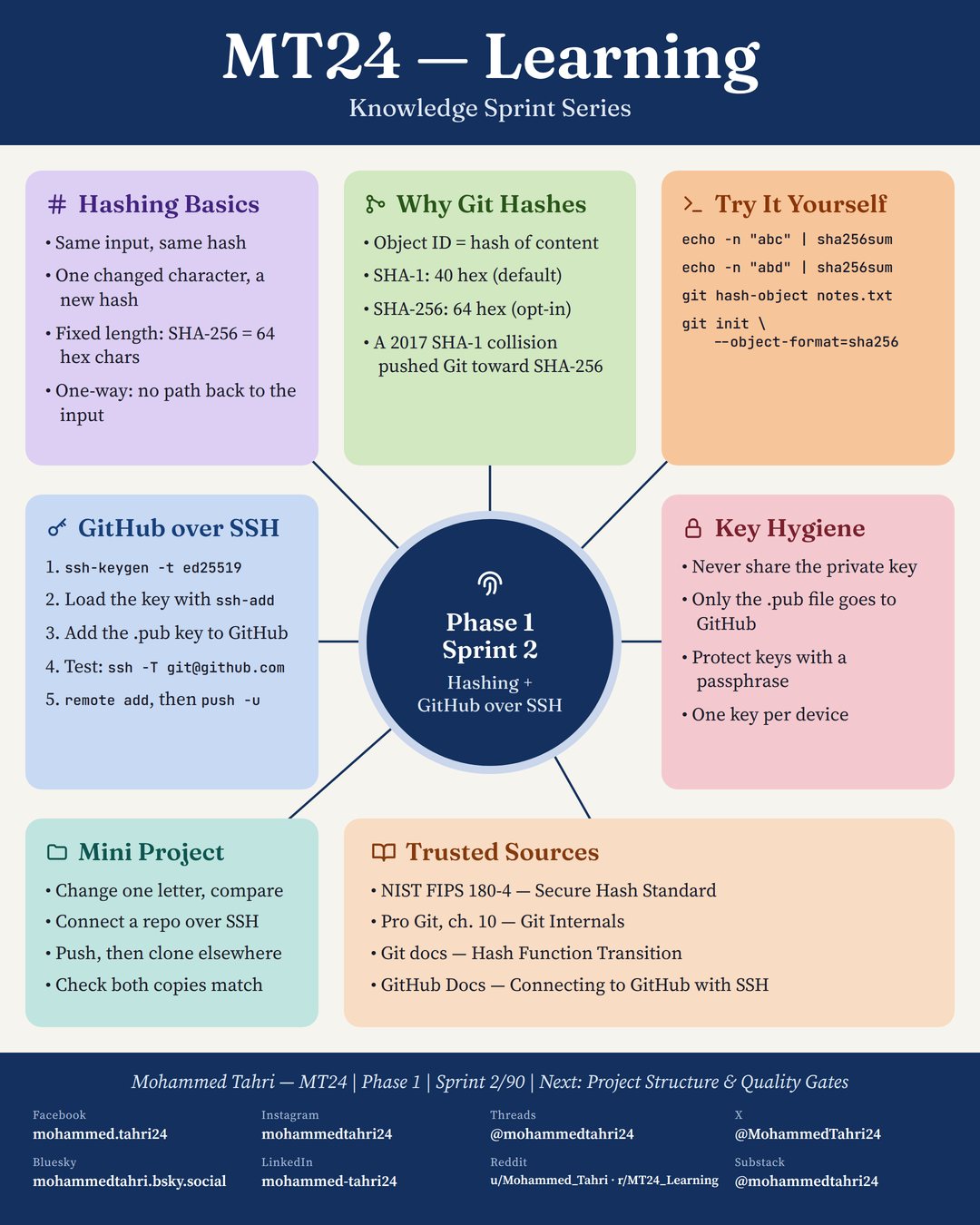
Hashing Basics
- Same input, same hash
- One changed character, a new hash
- Fixed length: SHA-256 = 64 hex chars
- One-way: no path back to the input
Why Git Hashes
- Object ID = hash of content
- SHA-1: 40 hex (default)
- SHA-256: 64 hex (opt-in)
- A 2017 SHA-1 collision pushed Git toward SHA-256
Try It Yourself
sprint02_hashing_github_ssh.sh
#!/bin/sh
# Sprint 2 · the Try It commands printed on the image, in order.
# Run: sh sprint02_hashing_github_ssh.sh  (it works in a new folder, sprint02-run/)
set -e                          # not on the image: stop at the first error
mkdir sprint02-run                                             # setup (not on the image)
cd sprint02-run                                                # setup (not on the image)
echo -n "abc" | sha256sum
echo -n "abd" | sha256sum
echo "my notes" > notes.txt                                     # setup (not on the image)
git hash-object notes.txt
git init \
    --object-format=sha256
git hash-object notes.txt       # not on the image: the same file, now a 64-hex ID
Run it. sprint02_hashing_github_ssh.sh · versions, data and steps
GitHub over SSH
- 1. ssh-keygen -t ed25519
- 2. Load the key with ssh-add
- 3. Add the .pub key to GitHub
- 4. Test: ssh -T git@github.com
- 5. remote add, then push -u
Key Hygiene
- Never share the private key
- Only the .pub file goes to GitHub
- Protect keys with a passphrase
- One key per device
Mini Project
- Change one letter, compare
- Connect a repo over SSH
- Push, then clone elsewhere
- Check both copies match